
CONTA FÁCIL
Know today how much cash you’ll have tomorrow.
Treasury, receivables, payables and reconciliation in one place. Fewer cash surprises, fewer hours in spreadsheets.
Trusted by companies that cannot stop
Cimenfort
Genea Angola
[LOGOS TO BE PROVIDED]
[TO FILL: number of synced records]
[TO FILL: years of history]
SAP and Primavera
THE PROBLEM
What this module solves
The real balance comes late
Until reconciliation is done, nobody knows exactly how much cash there is.
Overdue customers found too late
Debt ages before anyone collects it.
Payments without a plan
Payments go out by urgency, not by schedule.
HOW IT WORKS
CONTA FÁCIL in 4 steps
01
ERP read
Transactions, invoices and due dates read from SAP or Primavera.
02
Receivables and payables organised
Everything sorted by due date, customer and supplier.
03
Reconciliation
Transactions reconciled with less manual work.
04
Alerts
Overdue items and treasury deviations flagged to management.
FEATURES
What each feature gives you
Treasury
Cash position by bank and currency.
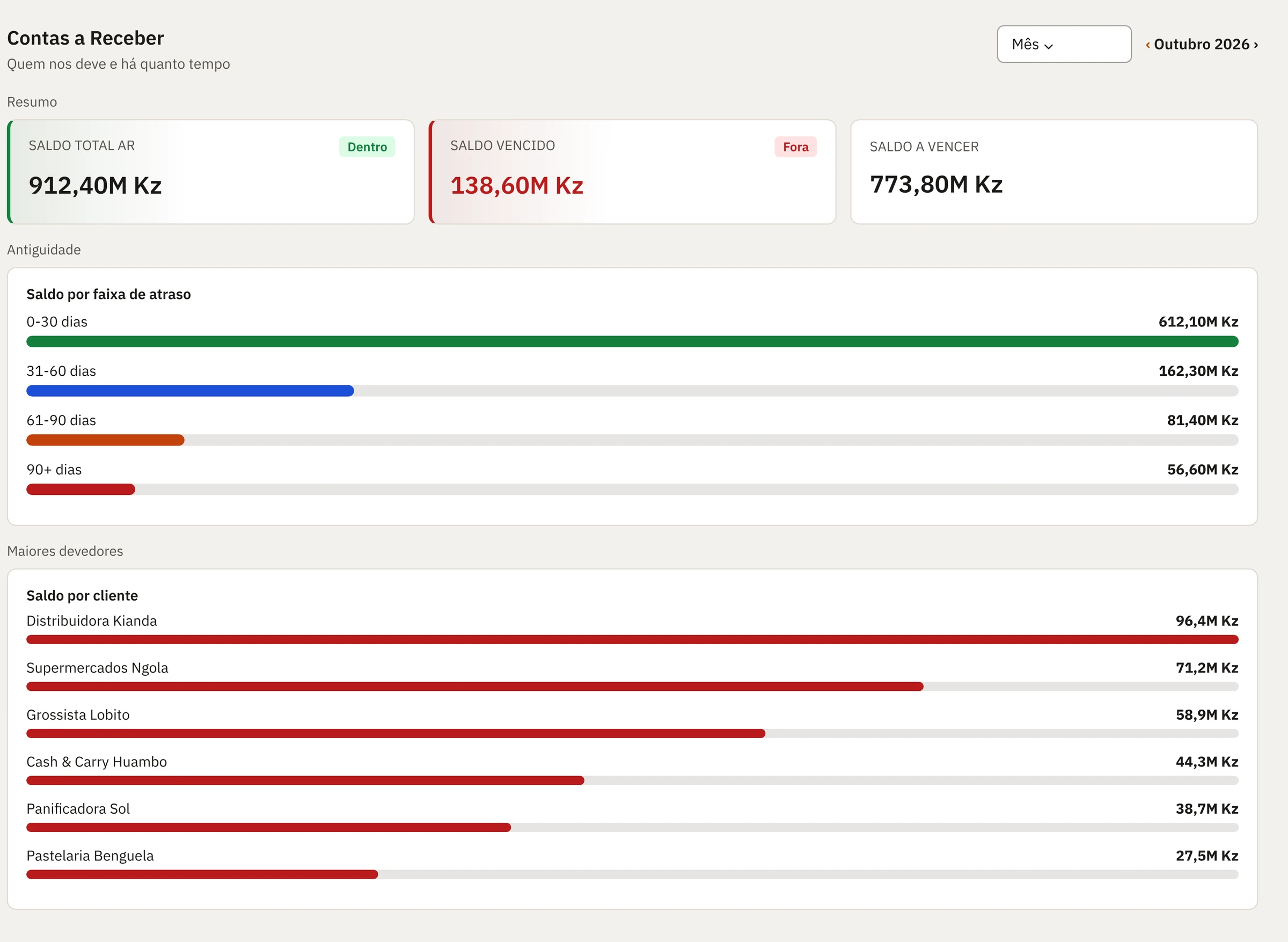
Accounts receivable
Who owes, how much and for how long. Who to collect from first.
Accounts payable
A payment schedule instead of emergencies.
Reconciliation
Fewer hours in spreadsheets, more confidence in the balance.
Kwanza, USD and EUR
Balances and commitments in several currencies, with exchange rates.
CASE
Results with CONTA FÁCIL
[TO FILL: CONTA FÁCIL case: client, challenge, result]
ECOSYSTEM
Works best with
Frequently asked questions
Does it replace the ERP’s accounting?
No. The ERP remains the accounting system. CONTA FÁCIL organises day-to-day financial management.
Is reconciliation automatic?
[TO FILL: level of reconciliation automation]
Does it handle several currencies?
Yes: Kwanza, USD and EUR, with exchange rates.
Does it work with several companies?
Yes, with permissions by company, department and role.
DEMO
See your company’s numbers in Nawilink
Talk to our team and see Nawilink running with an example from your industry.
- Demo with an example from your industry
- No commitment
- Reply from our team [TO FILL: response time]